

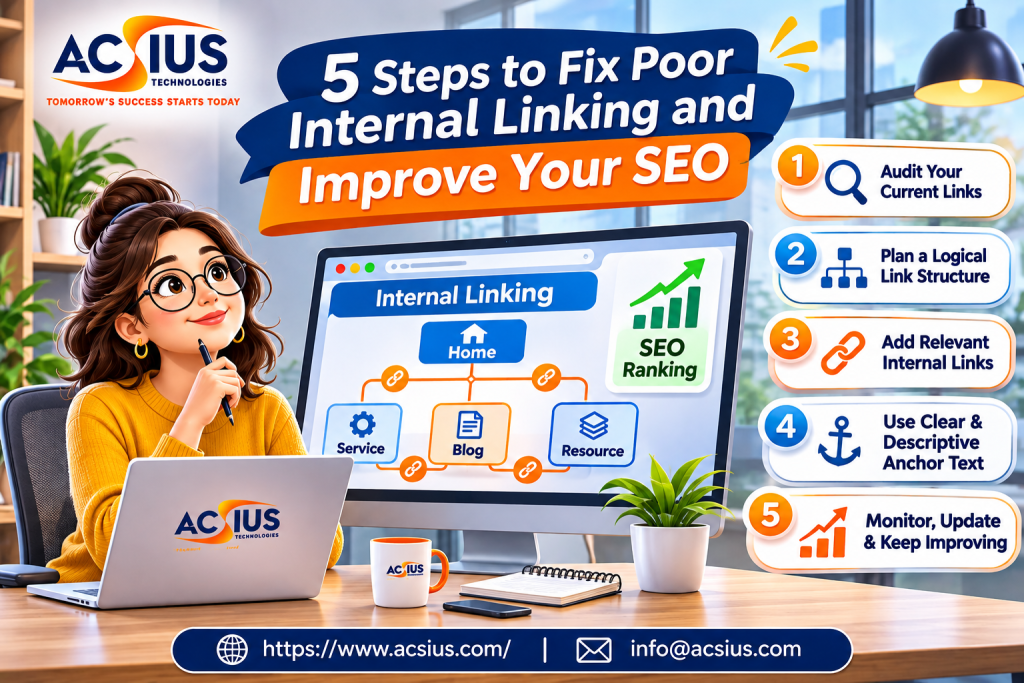
Imagine walking into a large store where no aisle signs exist, products are scattered randomly, and the best items are hidden in a back room with no path leading to them. You would probably leave. Many websites feel exactly like that to search engines and visitors. Pages exist, but nothing connects them in a clear, helpful way.
That connection is internal linking, and it is one of the most powerful and most overlooked parts of SEO. It costs nothing, it is fully under your control, and it can improve crawling, rankings, and user experience at the same time. This guide shows you five practical steps to find and fix poor internal linking, explains the reasoning behind each step, and gives you checklists you can apply to your own website this week.
What Is Internal Linking and Why Does It Matter?
An internal link is a link from one page of your website to another page on the same website. Your navigation menu, footer links, related-post sections, and links placed inside your articles are all internal links. They are different from external links, which point to other websites, and backlinks, which come from other websites to yours.
Internal links matter for several reasons:
- Discovery. Search engines find new pages by following links. A page with no internal links pointing to it, often called an orphan page, may be crawled late or not indexed at all.
- Context. The words you use in a link, called anchor text, help search engines understand what the destination page is about.
- Importance. Pages that receive more internal links from relevant, prominent places are generally seen as more important within your site.
- Topical structure. Linking related pages together shows how your content fits into topics, which supports topical authority.
- User experience. Good links guide readers to the next useful page, which keeps them engaged longer and increases the chance of a conversion.
Google has long said that links help it find pages and understand how they relate to each other. There is no magic number of links to include, but a thoughtful structure makes it easier for both people and crawlers to move through your site.
Signs of Poor Internal Linking
Before fixing the problem, it helps to recognize it. Your site may have weak internal linking if:
- Important pages sit several clicks away from the homepage.
- Some pages have no internal links pointing to them at all.
- Blog posts rarely link to related posts, service pages, or product pages.
- Most links use vague anchor text such as “click here” or “read more.”
- Links point to redirected or broken pages.
- Your best-performing pages are not linked from newer content.
- Navigation is cluttered, with dozens of links competing for attention.
- Visitors tend to leave after one page, even when more relevant content exists.
If several of these sound familiar, the five steps below will help you correct them in an organized way.
Step 1: Audit Your Current Internal Links
You cannot fix what you cannot see. The first step is to collect data about how your pages are currently connected.
Tools to use
- A site crawler such as Screaming Frog, Sitebulb, or a similar tool. These scan your site the way a search engine would and show every internal link, anchor text, and status code.
- Google Search Console. The Links report shows your most linked internal pages and can reveal pages that receive very few links.
- Analytics. Check which pages attract the most visits and which pages have high exit rates.
- Your CMS. Some content platforms and plugins can show internal link counts for each post.
What to look for
Export the data into a spreadsheet and review it with these questions:
- Which pages have zero internal links pointing to them? These are orphan pages and should be your first priority.
- Which important pages have very few? Service pages, product categories, and cornerstone guides should usually receive more links than random old posts.
- Which links are broken or redirected? Fix them so each link goes directly to the final working URL.
- How deep are your key pages? Pages that need four, five, or more clicks to reach are hard for both users and crawlers to find.
- What anchor text is being used? Look for generic, repeated, or misleading anchors.
- Where are your strongest pages? Pages with good traffic, rankings, or backlinks can pass attention to others when they link out thoughtfully.
For large or complicated websites, bringing in experienced SEO Services India specialists for this audit can save a great deal of time, since they can combine crawl data, traffic patterns, and backlink information into a clear plan that shows which fixes will matter most.
Step 2: Build a Logical Site Structure
Internal linking works best on top of a clear structure. If your website resembles a pile of unrelated pages, adding links will only help so much. Aim for a simple hierarchy that reflects how your topics relate to each other.
The pillar and cluster model
A popular approach is to organize content into topic clusters. Each cluster has a pillar page, a comprehensive guide covering a broad topic, and several supporting pages that explore specific questions in depth. The pillar links to every supporting page, and each supporting page links back to the pillar and to a few related siblings.
For example, a website about home fitness might have:
- Pillar: Home Workout Guide for Beginners
- Supporting pages: Beginner strength routines, best resistance bands, stretching after workouts, how to build a weekly schedule, common beginner mistakes
The cluster shows search engines that you cover the topic thoroughly, and it helps visitors move naturally from a broad overview to detailed answers.
Keep important pages close
A helpful rule of thumb is that your most valuable pages should be reachable within about three clicks from the homepage. Use your main navigation, category pages, and hub pages to keep the structure shallow.
Clean up categories and navigation
Show your main topics or services in the primary menu, not dozens of individual posts. Use breadcrumbs so visitors always know where they are, and avoid duplicate paths that lead to the same page through different URLs. Keep your footer links focused on useful destinations rather than stuffing it with every page.
If your business serves different cities or regions, structure matters even more, because location pages need to connect clearly to your main services. A provider such as an experienced SEO Company in Delhi can help you plan service and location hierarchies so that each page has a clear role and nothing competes with itself.
Step 3: Add Contextual Links Inside Your Content
Navigation links are useful, but the most powerful internal links are usually the ones placed naturally inside your body content. A link surrounded by relevant text tells both readers and search engines exactly why the pages are connected.
How to add contextual links well
- Link where it helps the reader. Add a link when it answers a likely next question, not just to include one.
- Link early when it matters. For pillar pages and key service pages, a link in the first few paragraphs of related content is often valuable.
- Use descriptive anchor text. Anchors like “internal linking checklist” or “how to compare accounting software” explain the destination far better than “click here.”
- Vary your anchors naturally. Use exact, partial, and descriptive phrases. Repeating the same exact-match anchor everywhere can look unnatural.
- Link both ways in a cluster. Pillars link to supporting pages, and supporting pages link back.
- Do not overdo it. Dozens of links in a short article distract readers. A few relevant links per 500 to 1,000 words is usually comfortable, though quality matters more than any fixed number.
- Make links easy to see. Use clear styling so readers recognize links, and check that they are easy to tap on phones.
Go back and update old content
Most people link forward from new articles but forget to link back from older ones. Every time you publish something new, search your existing pages for places where the new article fits and add links to it. This is one of the easiest ways to strengthen newer pages and to revive older ones.
Link to conversion pages carefully
If your blog is meant to bring in customers, make sure helpful articles naturally lead to relevant service or product pages. The key is relevance and honesty. A reader learning how to choose a plumber will welcome a link to your plumbing services, but a forced link in an unrelated article feels pushy.
Step 4: Fix Orphan Pages, Broken Links, and Redirect Problems
Once the structure and content links are improving, clean up the technical problems that quietly waste attention.
Rescue orphan pages
For each orphan page, decide what it deserves:
- Valuable and current: add links from relevant pillar pages, category pages, and related posts.
- Outdated but useful: update it, then link to it.
- Duplicate or overlapping: merge it with a stronger page and redirect the old URL.
- Thin and pointless: remove it, or return a proper 404 or 410 if no replacement exists.
Repair broken internal links
Broken links lead to 404 errors, which frustrate visitors and waste crawl effort. Use your crawler to list them, then update each link to the correct URL or remove it. If a valuable page was deleted by mistake, restore it or set up a relevant 301 redirect.
Remove redirect chains
Internal links should point straight to the final URL. If a link goes through two or three redirects before reaching the destination, update it to skip the extra steps. This speeds up crawling and avoids lost signals.
Check nofollow and noindex settings
Make sure you have not accidentally blocked important links or pages with nofollow tags, noindex directives, or robots.txt rules. These mistakes are common after redesigns and can hide key pages from search results.
Handle pagination and filters carefully
Online stores and large blogs often create many pages through filters and page numbers. Make sure important categories and products stay easy to reach, and use canonical tags and sensible crawl controls so low-value variations do not overwhelm the structure.
Step 5: Add Local and Service-Based Internal Links
If your business serves customers in particular areas, internal links should help search engines and visitors understand where you operate and what you offer in each place. Many local businesses have a strong service page and several weak location pages that never connect to each other.
Connect services and locations
- Link from your main service pages to relevant location pages, and back again.
- Give each location page unique, useful information, such as local projects, customer stories, staff, and directions.
- Add a short “areas we serve” section that links to your location pages in a natural, readable way.
- Link from local blog posts, such as regional guides or event coverage, to the matching service or location page.
- Keep your business name, address, and phone number consistent everywhere.
Avoid thin, copied location pages
Duplicating the same text and swapping only the city name creates weak content that rarely performs well. Each page should offer real, unique value for that area.
Businesses with several branches or service areas often work with a specialized local seo company India to coordinate location pages, Google Business Profile details, citations, and internal links, so every part of the local presence supports the others instead of working in isolation.
How to Choose Good Anchor Text
Anchor text deserves its own attention because it is where many internal linking mistakes happen. Use this simple guide:
| Type | Example | When to use |
| Exact match | “internal linking guide” | Sparingly, where the phrase fits naturally |
| Partial match | “our guide to fixing internal links” | Often, because it reads naturally |
| Descriptive | “see how crawlers find pages” | Often, to describe the destination |
| Branded | “the ACME resource center” | When linking to hubs or tools |
| Generic | “click here”, “read more” | Avoid in most cases |
As a test, read the anchor text on its own. If a visitor can tell what they will find on the next page, the anchor is probably good.
Internal Linking Best Practices Checklist
Use this list when you publish or update pages:
- Every important page is linked from at least a few relevant pages.
- No indexable page is an orphan.
- Key pages are within about three clicks of the homepage.
- Each cluster has a pillar page linked to all its supporting pages.
- Anchor text is descriptive and varied.
- Links point directly to final URLs, not to redirects.
- Broken links are fixed promptly.
- New content is linked from older, relevant pages.
- Navigation is simple and focused on main topics or services.
- Links are useful to readers, not added only for SEO.
How to Measure the Results
Internal linking changes often show results gradually, since search engines need time to recrawl and reprocess your pages. Track these signals over several weeks and months:
- Crawl and indexing data: fewer orphan pages, more important pages indexed, and faster discovery of new content.
- Rankings and impressions: improved visibility for pages you strengthened with links.
- Organic traffic: more visits to pages that were previously buried.
- Engagement: more pages per session, lower exit rates, and longer visits.
- Conversions: more clicks from helpful content to service or product pages, and more leads or sales.
Compare results against a baseline from before your changes, and make adjustments in stages so you can see what is working.
Common Internal Linking Mistakes to Avoid
- Linking to everything from everywhere. Too many links dilute focus and confuse readers.
- Using the same exact anchor repeatedly. It can look manipulative and adds little value.
- Burying key pages. Important content hidden deep in the structure is hard to find.
- Ignoring older content. Old posts are great places to add links to newer pages.
- Relying only on navigation. Contextual links carry more meaning than menu links alone.
- Forcing irrelevant links. If a link does not help the reader, leave it out.
- Forgetting mobile users. Links must be easy to see and tap on small screens.
- Leaving redirects and 404s in place. They waste attention and weaken structure.
Final Thoughts: Build a Site That Is Easy to Follow
Fixing poor internal linking is not about adding as many links as possible. It is about making your website easy to understand and easy to move through. Audit what you have, build a logical structure, add useful links inside your content, clean up technical issues, and connect your services and locations clearly. Do these five things steadily, and you will give search engines a better map of your site and give visitors a smoother path to the answers they need.
If you would like expert support auditing your site structure, fixing internal links, and building a long-term plan for stronger visibility, ACSIUS can help with technical audits, content strategy, and ongoing optimization built around clarity and trust. Contact ACSIUS today to turn your website into a well-connected, search-friendly resource that works harder for your business.
FAQs
Do internal links help rankings directly?
They help search engines discover pages, understand context, and see which pages matter most on your site. Those factors can support better rankings, though results also depend on content quality, competition, and many other signals.
Should internal links open in a new tab?
Generally no. Opening in the same tab is the normal, accessible default, and readers can choose to open a new tab themselves.
Should I use nofollow on internal links?
Usually not. Internal links are meant to help crawlers move through your site, so nofollow is rarely needed except for specific cases such as certain user-generated content or login pages.
How often should I audit internal links?
Review them at least twice a year, and also after major content updates, redesigns, or migrations.
