

An iPhone app is not just a smaller version of your website. It lives on the device people carry everywhere, sends them notifications, uses their camera and location, and is judged within seconds on how smooth and trustworthy it feels. That makes the quality of the development team one of the biggest factors in whether your app succeeds or quietly disappears from people’s home screens.
If you are a founder, product manager, or business owner planning a custom app for iPhone and iPad, this guide explains what professional iOS development involves, what has changed in Apple’s ecosystem this year, how the process works from idea to App Store, what it costs to think about, and how to choose a partner you can trust. It is written to help you make clear decisions, not to push you toward a particular option.
Why Build a Custom iOS App?
Businesses choose iOS for different reasons, and it helps to be honest about which ones apply to you.
- Audience fit. In many markets, iPhone users are a valuable segment, often with strong engagement and willingness to pay for apps and services. In others, Android dominates, so check your own audience data before assuming iOS is the right first platform.
- Hardware and software consistency. Apple controls both devices and operating systems, which makes testing more predictable than on fragmented platforms.
- Native capabilities. Apps can use Face ID, Apple Pay, widgets, Live Activities, HealthKit, ARKit, push notifications, and tight integration with Apple Watch and iPad.
- Performance and polish. Native apps typically feel faster and more fluid, which matters for consumer products and complex workflows.
- Brand experience. A well-designed app signals reliability, especially in categories such as finance, health, education, and retail.
Custom development makes sense when your idea needs unique workflows, deep device features, offline support, strong security, or integrations that an off-the-shelf tool cannot provide. If a simple website, a mobile-friendly web app, or an existing platform can solve the problem, a custom app may be unnecessary. A trustworthy development partner will tell you that honestly.
What Professional iOS Development Services Include
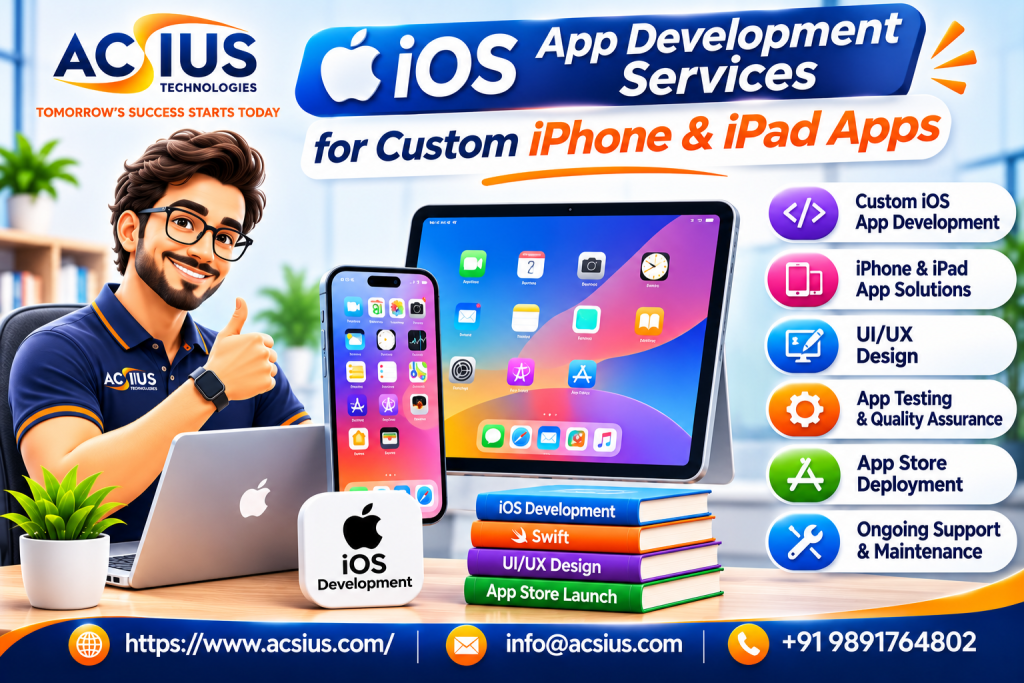
Good iOS development is more than writing code in Swift. It covers the full journey from concept to long-term support. If you are comparing providers of ios app development Services, use the list below to check that each stage is covered and that you know who is responsible for it.
-
Discovery and strategy
The team clarifies your goals, users, competitors, and constraints, then defines a minimum viable product, the smallest version of the app that delivers real value. This stage should produce a feature list, user stories, a rough architecture, and a realistic timeline.
-
UI and UX design
Designers create wireframes and interactive prototypes, following Apple’s Human Interface Guidelines so the app feels natural on iPhone and iPad. Good design covers navigation, accessibility, dark mode, dynamic text sizes, and layouts that adapt across screen sizes.
-
Architecture and technical planning
Before building screens, the team decides on the app structure, data storage, networking approach, authentication, analytics, and testing strategy. These early choices affect cost, performance, and flexibility for years.
-
Development
Modern iOS apps are written mainly in Swift, usually with SwiftUI for the interface and UIKit where finer control is needed. Developers build in short cycles, with regular demos, version control, and code reviews.
-
Backend and integrations
Most apps need servers, databases, APIs, payment processing, push notification services, and third-party integrations. Make sure someone owns this work and that it is planned together with the app.
-
Testing and quality assurance
Testing should include unit tests, interface tests, device testing across iPhone and iPad models and OS versions, performance checks, accessibility review, and security testing. Apple’s TestFlight lets you share builds with testers before launch.
-
App Store preparation and launch
The team prepares metadata, screenshots, privacy details, and compliance information, submits the app, and responds to review feedback. A smooth launch includes monitoring crash reports and user feedback in the first days.
-
Maintenance and growth
Apple releases new operating systems every year, so apps need regular updates. Ask what support is included after launch, how bugs are handled, and how new features are planned.
What Is New for iOS Developers in 2026
Apple’s ecosystem moves quickly, and a good team stays current. A few developments matter for anyone planning an app now.
- iOS 27 has shipped. Apple released iOS 27 and iPadOS 27 on September 14, 2026, along with Xcode 27, which includes Swift 6.4 and the new SDKs.
- A new SDK deadline is coming. Apple has stated that starting in April 2027, apps uploaded to App Store Connect must be built with the iOS 27 and iPadOS 27 SDK or later. Apple does not announce exact cutoff dates far in advance, so plan to migrate well before spring. Since April 28, 2026, uploads have already needed Xcode 26 or later and the version 26 SDK.
- Apple silicon Macs are required for Xcode 27. Older Intel build machines cannot run it, which matters for teams with older development hardware or build servers.
- Design and platform requirements keep shifting. Recent releases have introduced design changes, launch screen requirements, and updated screenshot rules, so teams need to test builds against each new SDK instead of assuming old apps will behave the same.
The practical lesson is that an iOS app is not a one-time purchase. Budget for yearly updates, and ask any prospective partner how they track Apple’s requirements and plan SDK migrations.
Native, Cross-Platform, or Web: Choosing an Approach
Before choosing a team, decide what kind of app you actually need. Each approach has trade-offs.
Many products start on one platform to validate the idea, then expand. Others plan for several platforms from day one. If you expect to serve both iPhone and Android users and want a coordinated plan, it can help to work with a team that offers full Mobile App Development Services, so architecture, design systems, and backend services are planned once and reused sensibly rather than rebuilt for each platform. The right choice depends on your audience, budget, timeline, and how demanding the app is.
Types of iPhone and iPad Apps Businesses Build
Here are common examples and what they typically involve.
Consumer apps. Social, fitness, food delivery, travel, and entertainment apps focus on smooth onboarding, notifications, and engagement.
Ecommerce and retail apps. Catalogs, wishlists, secure checkout with Apple Pay, order tracking, and loyalty programs.
Healthcare and wellness apps. Appointment booking, telehealth, health data tracking, and secure handling of sensitive information, with strict privacy and compliance needs.
Fintech apps. Payments, budgeting, investing, and account management, where security, reliability, and regulatory compliance are essential.
Enterprise and field-service apps. Inventory, inspections, sales tools, and workflow apps, often with offline mode, barcode scanning, and integrations with internal systems.
Education apps. Lessons, quizzes, video, progress tracking, and sometimes iPad-first designs for classrooms.
iPad-specific apps. Productivity, creative, and point-of-sale apps that use larger screens, split view, keyboard shortcuts, and Apple Pencil.
Designing for iPad is not the same as stretching an iPhone layout. Tablets need adaptive layouts, multitasking support, and thoughtful use of space.
Planning for Android and Other Platforms
Even if you launch on iOS first, think about what comes next. Your customers, employees, or partners may use other devices, and early decisions about backend design, APIs, and design systems affect how easily you can expand later.
If Android users are an important part of your audience, you may later want to work with specialists in android app development services to bring the product to that platform while keeping the experience consistent. Share your roadmap early with your iOS team, so they can build a backend and data model that supports multiple apps without costly rework.
Business and Enterprise Apps Beyond Mobile
Some organizations need software that works across phones, tablets, and desktops. For example, a field team may use iPads on site while office staff use Windows computers for reporting and administration. In such cases, plan the whole system, not just the mobile app.
If part of your solution runs on desktops, you may also need Windows App Development Services for management tools, dashboards, or line-of-business software that connects to the same data as your iPhone and iPad apps. Coordinating these pieces early keeps data consistent, simplifies security, and reduces duplicate work.
How to Evaluate an iOS Development Company
Polished websites and confident sales calls are easy to produce, so look for evidence that matches the claims.
- Review live apps. Download apps they built, and test speed, design quality, and stability. Ask what the team personally built.
- Ask about their process. A trustworthy team can explain discovery, design, development, testing, and release in simple terms.
- Check technical depth. Look for experience with Swift, SwiftUI, UIKit, Core Data or SwiftData, networking, push notifications, in-app purchases, and accessibility.
- Discuss App Store experience. Ask how they handle review rejections, privacy requirements, and SDK deadlines.
- Talk to the real team. Make sure the developers and designers you meet will work on your project.
- Ask for references. Speak to past clients about timelines, surprises, quality, and post-launch support.
- Confirm ownership. You should own the source code, design files, app store accounts, and user data.
- Check security practices. Ask about data storage, encryption, authentication, and compliance with relevant privacy rules.
- Understand communication. Clarify update frequency, tools, time zones, and who your main contact will be.
- Look for honesty. Good partners explain risks, admit limits, and suggest simpler options when appropriate.
Costs, Timelines, and Budgeting
There is no single price for an iOS app, and quotes vary widely with scope, design complexity, integrations, and team experience. A focused first version may take a few months, while a feature-rich platform can take much longer. Instead of fixating on the lowest quote, consider the full picture.
Cost drivers include:
- Number of screens and features.
- Custom design and animations.
- Backend development and integrations.
- Complex features such as payments, real-time chat, video, or health data.
- Security and compliance requirements.
- Testing across devices and OS versions.
- Ongoing maintenance and updates.
Costs people often forget:
- Apple Developer Program membership, which is an annual fee that you should check on Apple’s website for current pricing.
- Backend hosting, push notification services, analytics, and third-party licenses.
- Annual updates for new iOS versions and SDK requirements.
- Customer support and content updates.
- Marketing and app store optimization after launch.
Ask for an itemized proposal, agree on how scope changes are estimated, and plan a first release that focuses on the essentials. Launching a smaller, well-built app and learning from real users usually beats building everything at once.
Security, Privacy, and App Store Compliance
Apple places strong emphasis on user privacy and app quality, and apps that ignore the rules can be rejected or removed. Your development partner should handle these areas carefully:
- Privacy disclosures. Accurate privacy details in App Store Connect and a clear privacy policy.
- Permission requests. Ask for camera, location, contacts, or notifications only when needed, and explain why.
- Secure data handling. Use encryption, secure storage such as the Keychain, and safe authentication practices.
- Review guidelines. Follow Apple’s rules on in-app purchases, content, user-generated content, and account deletion.
- Accessibility. Support VoiceOver, dynamic type, and sufficient contrast, which is both good practice and often legally important.
Ask how the team tests for these items before submission, since fixing them after a rejection costs time.
Measuring the Success of Your App
Launch is the beginning, not the end. Track metrics that connect to your goals:
- Acquisition: downloads, install sources, and cost per install.
- Activation: how many users complete onboarding and reach key actions.
- Engagement: daily and monthly active users, session length, and feature usage.
- Retention: how many users return after one day, seven days, and thirty days.
- Revenue: conversions, subscription renewals, and lifetime value.
- Quality: crash-free sessions, load times, ratings, and review sentiment.
Use this data to plan updates. Strong apps improve through steady iteration based on real behavior, not guesses.
Common Mistakes to Avoid
- Skipping validation. Test your idea with real users before building every feature.
- Building for everyone. Focus on one core user and one core problem first.
- Choosing on price alone. The cheapest quote often leads to the most expensive rework.
- Ignoring design and accessibility. Poor usability drives people away quickly.
- Underestimating backend work. Servers, security, and integrations are often the biggest effort.
- Neglecting yearly updates. Apple’s annual changes require regular maintenance.
- Weak ownership terms. Make sure you control your code, accounts, and data.
- Launching without a plan. Prepare onboarding, support, and marketing before release.
Final Thoughts: Build for Users, Not Just for the Store
A successful iPhone or iPad app comes from clear goals, thoughtful design, careful engineering, and steady improvement after launch. Start with a focused first release, choose a partner who explains trade-offs honestly, plan for Apple’s yearly changes, and think about the wider ecosystem of platforms your customers and teams will use. Do that, and your app can become a dependable part of your business rather than a one-time project.
If you are looking for a team that can guide you from idea to App Store and beyond, ACSIUS can help you plan your project, design a polished user experience, build a reliable app, and support it as your business grows. Contact ACSIUS today to discuss your requirements and take the first step toward a custom iPhone and iPad app.
FAQs
Should I build for iOS or Android first?
It depends on where your audience is. Check your market data and customer base, and consider starting with the platform that serves your most valuable users.
Do I need a separate app for iPad?
Not necessarily. A single app can support both iPhone and iPad with adaptive layouts, though some products benefit from iPad-specific designs.
What programming language is used for iOS apps?
Most modern iOS apps are built with Swift, often using SwiftUI for the interface and UIKit where needed. Cross-platform tools such as Flutter and React Native are alternatives for some projects.
What happens when Apple releases a new iOS version?
Apps usually need testing and updates, and Apple periodically raises the minimum SDK requirements for App Store uploads. Plan for ongoing maintenance each year.
Who owns the app and its source code?
You should, as long as your contract says so. Confirm ownership of source code, design files, and App Store accounts before you start.
Can an existing website be turned into an app?
Sometimes, but a thin wrapper around a website may not meet Apple's quality expectations. Apps should offer real value beyond what a browser already provides.
How do I protect user data?
Use secure authentication, encrypted storage and transmission, minimal data collection, and clear privacy disclosures, and have the app tested for security issues before launch.
