

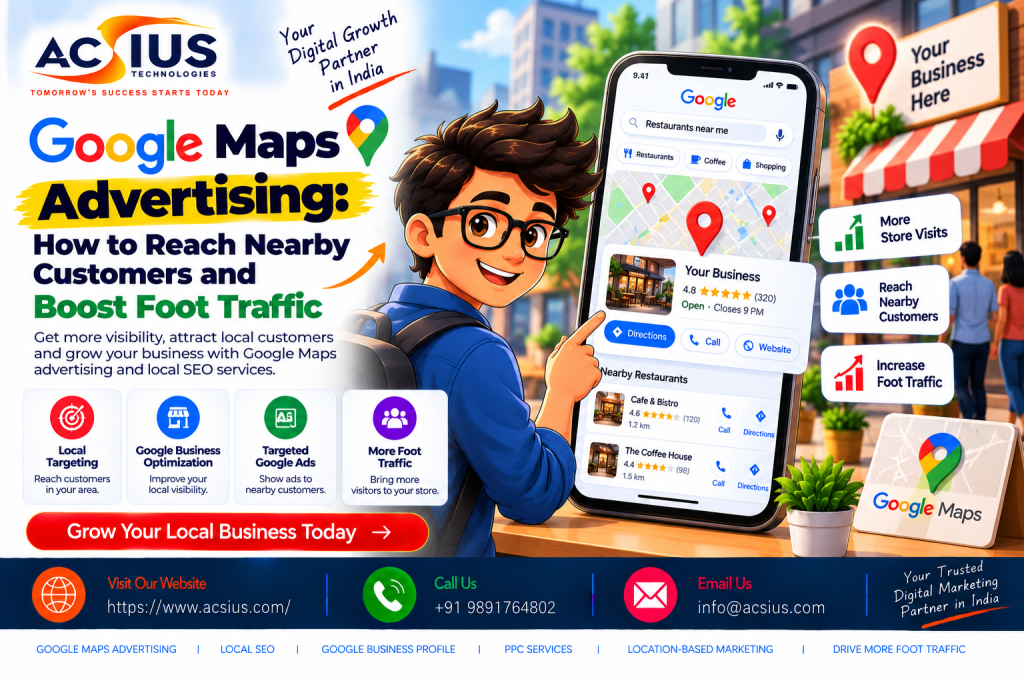
Think about the last time you searched for “coffee shop near me,” “best dentist nearby,” or “mobile repair open now.” Chances are you did not scroll through ten pages of results. You glanced at the map, picked one of the first few businesses, checked the reviews, and walked or drove there within the hour. That moment of high intent is exactly where Google Maps advertising lives, and it is why the platform has become one of the most valuable channels for any business with a physical location or a defined service area.
For shops, clinics, restaurants, salons, gyms, showrooms, and service providers, the challenge is no longer just “being online.” The real challenge is being visible at the exact moment a nearby customer is ready to act. Google Maps advertising closes that gap by placing your business in front of people who are searching, navigating, and deciding in real time. In this guide, we will walk through how it works, which ad formats to use, how to set up campaigns, how to support them with strong local optimization, and how to measure the foot traffic they bring in.
What Is Google Maps Advertising?
Google Maps advertising is the practice of promoting your business inside Google Maps and local search results through paid placements. When someone searches for a product or service on Maps, or searches on Google with a local intent, your business can appear as a promoted pin, a sponsored listing, or a highlighted result with a “Sponsored” label.
These ads are tied to your Google Business Profile and your Google Ads account. Instead of paying for a simple website click, you can pay for actions that matter to a local business: calls, direction requests, website visits, and in-store visits. Because the ad appears alongside a map, a star rating, opening hours, and a “Directions” button, the path from discovery to a visit is extremely short.
Unlike broad display advertising, Maps ads reach people who are already looking for something. A person typing “pizza delivery near me” is not casually browsing; they are hungry. That intent is what makes local advertising on Maps so efficient for small and mid-sized businesses.
Why Nearby Customers Are Your Most Valuable Audience
Local searches tend to convert faster than general searches. A person searching for “wedding photographer” might spend weeks comparing options, but a person searching for “AC repair near me” on a hot afternoon wants someone at their door today. Here is why the nearby audience deserves your attention:
- High intent: Searches that include “near me,” “open now,” or a neighborhood name usually signal an immediate need.
- Mobile-first behavior: Most local searches happen on phones, often while the person is already out and about.
- Short decision cycles: People frequently call or visit a business on the same day they find it.
- Trust signals are visible: Ratings, photos, reviews, and distance all appear in one place, helping people decide quickly.
- Lower competition than national keywords: You compete with businesses in your area, not every brand in the country.
If your business is not visible on the map when these searches happen, a competitor a few streets away will capture the visit.
Types of Google Maps Ads You Can Use
Google offers a few ways to appear in Maps and local results. The exact options and names evolve over time, so always check the current options inside your Google Ads account. In general, the main formats are:
-
Promoted Pins
Promoted pins are branded markers that show up on the map when a user searches for a relevant category, such as “restaurants” or “pharmacy.” They can feature your logo and make your location stand out from standard pins, especially on busy maps in dense city areas.
-
Sponsored Listings in Local Search
When a user searches inside Google Maps, sponsored results can appear at the top of the list with a “Sponsored” label. These listings show your business name, rating, distance, and key actions such as call or directions.
-
Location Extensions (Location Assets)
If you run standard search campaigns, you can attach your business address to your text ads using location assets. This lets people see how far you are from them and tap directly for directions. It also allows your ad to show up in Maps placements.
-
Performance Max and Store Visit Goals
Google has been steering local advertisers toward automated campaign types that can serve across Search, Maps, YouTube, Display, and Discover. With store visit or local actions goals, you provide creative assets and target locations, and Google’s system finds the likely customers. This is useful when your main goal is bringing people into physical stores.
Choosing among these formats depends on your budget, your industry, and how much control you want. Many businesses begin with location extensions on a search campaign and expand once they see results.
How to Set Up Google Maps Advertising Step by Step
Step 1: Claim and Verify Your Google Business Profile
Everything starts with your Google Business Profile. Without a verified profile, you cannot properly connect your location to your ads. Make sure your business name, address, phone number, category, and hours are accurate and match what appears on your website. Inconsistent details confuse both customers and Google’s systems.
Step 2: Link Your Business Profile to Google Ads
Inside Google Ads, link your Business Profile so your location data can be used as an asset in campaigns. Once linked, your address, directions, and distance can appear in your ads.
Step 3: Define Your Goal
Be clear about what you want. Common goals for local businesses include phone calls, direction requests, store visits, and form submissions. Your goal determines the campaign type, bidding strategy, and creative you should use.
Step 4: Set Location Targeting Wisely
Choose the area where your customers actually come from. You can target by radius around your store, by specific cities or postal codes, or by a custom set of neighborhoods. A radius that is too large wastes budget on people who will never visit; one that is too small limits reach. Start with the distance your average customer travels and adjust using data.
Step 5: Pick Keywords With Local Intent
Use a mix of service keywords, “near me” phrases, and neighborhood or city names. For example, a clinic might target “dentist near me,” “root canal treatment in [area],” and “emergency dental care open now.” Add negative keywords to filter out irrelevant searches like “jobs,” “courses,” or “DIY.”
Step 6: Write Ads That Drive Action
Highlight what makes you worth visiting: proximity, speed, reviews, offers, parking, or opening hours. A strong call to action such as “Call now,” “Get directions,” or “Visit us today” pushes people toward the visit.
Step 7: Set a Budget and Bidding Strategy
Start with a daily budget you are comfortable testing. If your goal is calls, use call-focused bidding. If you want store visits, use strategies that optimize for local actions. Give campaigns enough time to gather data before making major changes.
Strengthen Your Maps Ads With Strong Local Optimization
Paid ads work best when your underlying local presence is solid. If a customer clicks your sponsored pin and finds a profile with two photos, outdated hours, and a handful of reviews, they will move on to the next option. That is why businesses that invest in both advertising and foundational local visibility see better results than those relying on ads alone.
Professional local seo services India help businesses build the groundwork that makes Maps ads perform better. This includes optimizing your Google Business Profile, building consistent citations across directories, managing reviews, creating location-based landing pages, and earning local backlinks. When your profile is complete and trusted, you are more likely to appear in the free Map Pack as well, which means you capture visibility from both paid and unpaid placements. For multi-location brands, local SEO also ensures each branch has its own accurate, optimized presence rather than competing with the others.
Some practical profile optimizations that support your ads:
- Choose the most accurate primary category and add relevant secondary categories.
- Upload high-quality photos of your storefront, interior, team, products, and services.
- Add all services and products with clear descriptions.
- Keep opening hours updated, including holidays.
- Use Google Posts to share offers, events, and updates.
- Answer questions in the Q&A section and respond to every review.
Combine Paid Maps Ads With Organic Search for Lasting Results
Paid ads give you speed, but they stop the moment your budget stops. Organic visibility builds slowly but keeps working month after month. The smartest local strategy uses both: ads to capture immediate demand and organic search to build a durable pipeline of free traffic.
This is where investing in Organic SEO Services becomes valuable. Organic SEO improves your website’s rankings for the service and location keywords your customers use, through on-page optimization, quality content, technical improvements, site speed, mobile usability, and authoritative backlinks. When someone clicks through from your Maps listing to your website, a well-optimized site with clear service pages, pricing information, and trust signals turns that visitor into a customer. Over time, a strong organic presence also reduces your dependence on paid clicks and lowers your overall cost of acquiring customers.
Think of it as a loop. Maps ads introduce your brand to nearby searchers. Your optimized website and reviews convince them. Organic rankings keep bringing similar customers back without extra ad spend. Each channel strengthens the others.
Why Local Market Knowledge Matters: A Look at Delhi-NCR
Local advertising is never one-size-fits-all. Customer behavior in a dense metropolitan market differs greatly from that in a smaller town. In a city like Delhi, businesses compete in tightly packed neighborhoods, where dozens of similar shops, clinics, restaurants, and service providers sit within a few kilometers of each other. Search behavior also varies by area, whether it is Connaught Place, Lajpat Nagar, Dwarka, Saket, Karol Bagh, or the wider NCR region including Noida, Gurugram, and Ghaziabad.
Working with a team that offers the Best SEO Services Delhi can help you understand these hyper-local patterns. An experienced local team can identify which neighborhood keywords matter, how competitors are positioned, what customers in your area care about, and how to align your ads and organic strategy with real search behavior. For a Delhi business, that might mean targeting specific localities, optimizing for peak-hour searches, creating content in both English and Hindi, and ensuring your profile reflects accurate landmarks and directions that make it easy to find you in crowded areas.
Popular Searches Your Customers Are Using
Understanding how customers search helps you choose better keywords and write better ads. Local searches generally fall into a few patterns:
- “Near me” searches: “salon near me,” “ATM near me,” “car service near me.”
- Location-specific searches: “gym in Dwarka,” “bakery in Lajpat Nagar.”
- Urgent-need searches: “24-hour pharmacy,” “emergency plumber,” “open now.”
- Comparison and quality searches: “best dentist in Delhi,” “top-rated restaurants nearby.”
- Action-driven searches: “directions to,” “call,” “book appointment.”
Build campaigns around these patterns. Use ad copy that mirrors the language people use, and make sure your landing page or profile answers the question immediately.
How to Turn Clicks Into Actual Foot Traffic
Getting impressions is not the goal; getting people through your door is. Here are practical ways to improve the conversion from ad view to in-store visit:
Make directions effortless. Make sure your pin location is exact. Add entrance photos, mention nearby landmarks, and note parking availability. A customer who cannot find you will quickly give up.
Show real-time information. Accurate opening hours, current offers, and stock availability reduce wasted trips and build trust.
Use offers that require a visit. Limited-time in-store discounts, “walk-in specials,” free consultations, or complimentary add-ons give people a reason to come today rather than later.
Encourage and showcase reviews. Ratings strongly influence local decisions. Ask satisfied customers for reviews, reply to all feedback professionally, and highlight your best testimonials.
Enable calls and messaging. Some customers prefer to check availability before travelling. Make sure your phone number is visible and calls are answered promptly, especially during business hours.
Schedule ads for the right times. If most of your walk-ins arrive in the evening or on weekends, increase bids during those periods. If you are closed, consider pausing ads or switching to call-free messaging.
How to Measure the Results of Maps Advertising
You cannot improve what you do not measure. Track these metrics to understand whether your campaigns are bringing real value:
- Impressions and reach: How often your ad or pin is shown in your target area.
- Clicks and interactions: Taps on your listing, website visits, and ad engagement.
- Call volume: Number of calls generated, call duration, and answered versus missed calls.
- Direction requests: A strong indicator that someone intends to visit.
- Store visits: Where eligible, Google can estimate store visits based on aggregated, anonymized location data from signed-in users.
- Cost per action: What you pay per call, direction request, or store visit.
- Return on ad spend: Compare ad costs against revenue from customers who found you through Maps.
Beyond platform data, ask new customers how they found you. A simple question at checkout or on a booking form, such as “How did you hear about us?”, often reveals the real impact of your local campaigns. Offline tracking, unique phone numbers, and promo codes can also help connect ad activity to revenue.
Common Mistakes to Avoid
Even well-funded campaigns can underperform because of avoidable errors. Watch out for these:
- Neglecting your Business Profile. Incomplete or outdated information weakens both ads and organic visibility.
- Targeting too broad an area. Paying for clicks from people who will never travel to you drains your budget.
- Ignoring negative keywords. Irrelevant clicks add up quickly.
- Using generic ad copy. Messages that do not mention your location, benefits, or offers fail to stand out.
- Not responding to reviews. Unanswered complaints discourage potential customers.
- Missing calls. If your phone goes unanswered during business hours, you are paying for leads you cannot convert.
- Setting and forgetting. Local competition changes constantly. Review performance regularly and refine.
- Relying only on paid ads. Without organic and local SEO support, your visibility disappears when the budget stops.
Final Thoughts
Google Maps advertising is one of the most direct ways to connect with customers who are physically close and ready to act. By pairing smart paid campaigns with a fully optimized Business Profile, a strong organic website presence, and an understanding of your local market, you can turn searches into walk-ins, calls, and loyal customers. The businesses that win locally are not simply those with the biggest budgets; they are the ones that show up consistently, look trustworthy, and make it easy to visit.
If you want expert help building this kind of integrated local visibility strategy, ACSIUS can guide you from Google Business Profile optimization to ads, organic growth, and measurable foot traffic. With the right plan and the right partner, your business can become the obvious choice the next time someone nearby searches for what you offer.
FAQs
How much do Google Maps ads cost?
There is no fixed price. Your cost depends on your industry, city, competition, and bidding strategy. You set a daily budget, and Google charges you for interactions such as clicks, calls, or direction requests. Most local businesses start with a small test budget and scale up once they see results.
Do I need a Google Business Profile to run Maps ads?
Yes, in practice. Your Business Profile provides the location data that Maps placements rely on. You need to claim and verify it, then link it to your Google Ads account before your location can appear in Maps ads.
Can small businesses compete with big brands on Google Maps?
Yes. Radius targeting and budget controls let small businesses focus on their own neighbourhood, where they have a real advantage. A well-reviewed local shop can easily outperform a larger chain in a tightly defined area.
How do Maps ads help increase foot traffic?
They reach people who are already nearby and ready to act. Features like “Get directions” buttons, click-to-call, opening hours, and ratings make it easy to go from search to visit within minutes.
How long does it take to see results from Google Maps ads?
Early signals such as calls and direction requests often appear within the first one to two weeks. For stable performance, allow four to eight weeks so the bidding system can learn and you can optimize your targeting and ad copy.
How can I measure whether Maps ads are bringing customers into my store?
Track store visits, phone calls, direction requests, and cost per action in Google Ads. If possible, connect offline data such as redeemed coupons, booked appointments, or point-of-sale sales to see the real return on your spend.
What is the difference between Google Maps ads and local SEO?
Maps ads are paid placements that give you immediate visibility, and they stop when your budget stops. Local SEO builds organic rankings through profile optimization, reviews, citations, and local content, and it keeps delivering over time. The strongest strategy uses both together.
How important are reviews for Google Maps advertising?
Very important. Your star rating and review count appear next to your listing and strongly influence whether someone chooses you. Ask happy customers for reviews and reply to every review, including negative ones, to build trust and improve conversions.
What are the most common mistakes in Google Maps advertising?
The most common mistakes are having an incomplete or outdated Business Profile, targeting too wide an area, ignoring reviews, measuring only clicks instead of calls and visits, and sending people to a slow or non-mobile-friendly landing page. Regular monitoring and adjustment help you avoid all of these.
