

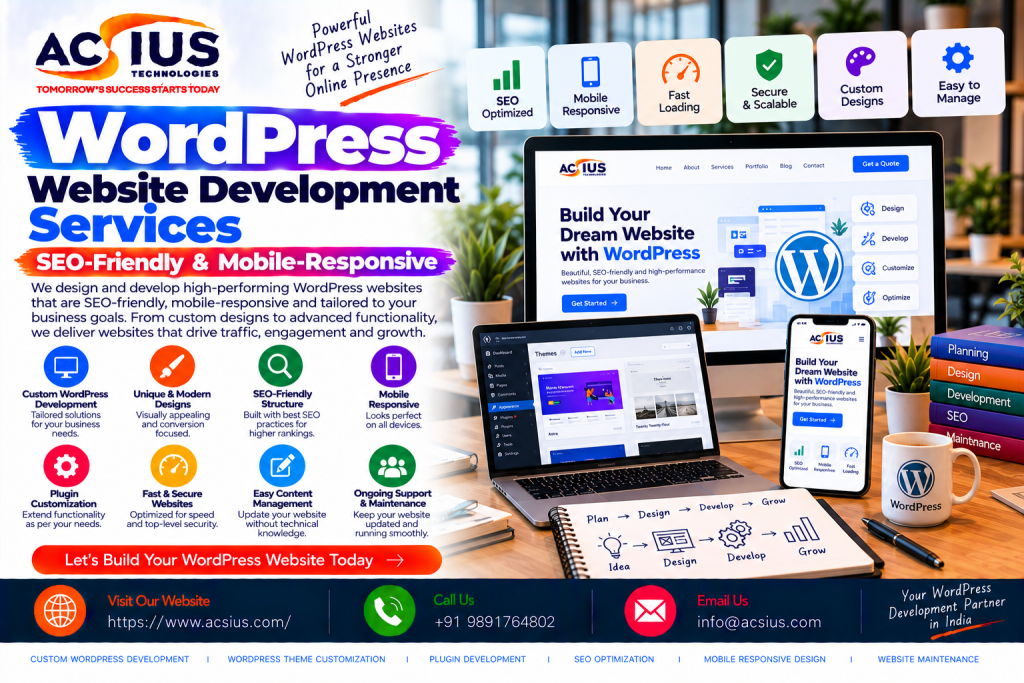
WordPress powers a huge share of the web, from personal blogs and local business sites to large media publications and ecommerce stores. Its popularity is no accident. It offers flexibility, a vast plugin ecosystem, and an editing experience that non-technical teams can learn quickly. But popularity cuts both ways. Because anyone can launch a WordPress site in an afternoon, the internet is full of slow, poorly structured, template-driven sites that look acceptable on a desktop and fall apart everywhere else.
The difference between a WordPress site that quietly generates leads and one that never gets found comes down to how it is built. Professional wordpress website development services go well beyond installing a theme and adding a logo. They cover clean code, performance engineering, search-friendly architecture, responsive design, security hardening, and a content workflow your team can actually use. This guide explains what an SEO-friendly, mobile-responsive WordPress build involves, what to ask for, and how to avoid the mistakes that hold most sites back.
Why WordPress Remains a Smart Choice in 2026
Choosing a platform is a long-term decision, and WordPress continues to earn its place for several practical reasons.
Flexibility. WordPress handles a simple five-page brochure site and a multilingual publication with thousands of articles equally well. Custom post types, custom fields, and block-based editing let developers model almost any content structure.
Ownership and control. Unlike hosted website builders, WordPress is open source. You own your site, your data, and your hosting choices, and you are never locked into one vendor’s pricing or feature roadmap.
Ecosystem. Thousands of themes and plugins cover everything from SEO and caching to bookings, memberships, and ecommerce. The ecosystem also means a large pool of developers who know the platform, which lowers long-term maintenance risk.
Content-first design. WordPress began as a publishing tool, and it still excels at content marketing. For businesses that rely on blogs, resource hubs, and landing pages to attract organic traffic, that heritage matters.
Cost efficiency. The software is free, and a well-built site can run for years with modest hosting and maintenance costs compared with fully custom builds.
The caveat is that these advantages only materialize when the site is built properly. A bloated theme loaded with dozens of plugins turns the same platform into a liability.
What “SEO-Friendly” Really Means for a WordPress Site
Many developers claim to build SEO-friendly sites, but the phrase is often reduced to installing an SEO plugin. Real search readiness is built into the foundation.
Clean, semantic code. Search engines read your HTML. Proper heading hierarchy, semantic elements, and lean markup help crawlers understand each page. Page builders that wrap every element in multiple layers of divs add weight and confusion.
Fast loading speed. Page speed affects both rankings and conversions. Developers improve it through lightweight themes, optimized images in modern formats, lazy loading, minified CSS and JavaScript, server-side caching, and a content delivery network. Core Web Vitals, which measure loading, interactivity, and visual stability, should be treated as design requirements from day one.
Logical site architecture. A clear structure of categories, subcategories, and internal links helps users and search engines find content. URLs should be short, readable, and consistent, with no unnecessary parameters or dates buried in paths.
Structured data. Schema markup for organizations, articles, products, FAQs, reviews, and local businesses helps search engines understand your content and can unlock rich results in search listings.
Crawl and index control. XML sitemaps, canonical tags, robots directives, and clean handling of pagination, archives, and tag pages prevent duplicate content and wasted crawl budget.
Metadata and on-page control. Editors should be able to set title tags, Meta descriptions, and social sharing previews on every page without touching code.
Redirects and migration safety. If you are replacing an existing site, a careful redirect map protects the rankings and backlinks you have already earned. Skipping this step is one of the most expensive mistakes in any redesign.
Mobile-Responsive Development: Beyond Shrinking the Layout
Most web traffic now comes from phones, and Google primarily uses the mobile version of a page for indexing and ranking. A mobile-responsive site is therefore not an extra; it is the baseline.
True responsiveness means designing for small screens first and scaling up, rather than squeezing a desktop layout into a narrow window. That involves several practical decisions.
Fluid layouts and flexible images. Grids and images adapt smoothly to any screen width, from small phones to large monitors, without horizontal scrolling or overlapping elements.
Touch-friendly interaction. Buttons and links need enough size and spacing to tap accurately. Menus should collapse into simple navigation patterns that are easy to use with one thumb.
Readable typography. Text should be legible without zooming. Line length, contrast, and font size all matter, especially for long-form content.
Performance on slower connections. Mobile users often browse on variable networks. Compressed assets, minimal third-party scripts, and efficient caching keep pages usable even on weaker signals.
Real-device testing. Browser emulators miss rendering quirks, so testing on actual iOS and Android devices catches problems before visitors do.
Accessible design. Sufficient color contrast, keyboard navigation, descriptive alt text, and properly labeled forms serve users with disabilities and also tend to improve overall usability and SEO.
The WordPress Development Process, Step by Step
Reliable agencies follow a structured process so that nothing important is left to chance.
- Discovery and planning. The team studies your business goals, audience, competitors, and existing site data. This phase produces a sitemap, a feature list, and a content plan tied to measurable objectives such as leads, bookings, or sales.
- Information architecture and wireframes. Before any visual design, the team maps page structure and user journeys. Wireframes show where content, calls to action, and navigation will sit, so problems surface while changes are still cheap.
- UI and UX design. Visual design aligns with your brand and with usability principles. Good designers consider how a page looks at every screen size, not only on a desktop mockup.
- Development. Developers build a custom or carefully chosen lightweight theme, configure essential plugins, and write custom code where plugins would add unnecessary weight. Staging environments let you review progress without affecting the live site.
- Content and SEO setup. Metadata, schema, internal links, redirects, and analytics tracking are configured, and existing content is migrated or rewritten as needed.
- Quality assurance. Testing covers browsers, devices, forms, speed, accessibility, security, and broken links.
- Launch and monitoring. A structured launch checklist reduces risk. After going live, the team monitors Search Console, analytics, and uptime to catch indexing or performance issues early.
- Training and handover. Your team should leave with clear documentation and a walkthrough so they can manage content confidently.
Choosing the Right Theme and Plugin Strategy
Theme and plugin decisions shape performance, security, and maintainability for years.
Multipurpose themes promise endless options, but they often ship with large amounts of unused code that slows pages down. A custom theme, or a minimal framework theme extended by a developer, usually performs better and gives more control over structure and design.
Plugins deserve similar discipline. Every plugin adds code, potential security exposure, and a future update to manage. Keep only those that provide clear value, choose well-maintained options with strong reviews and recent updates, and replace plugins with custom functionality when a feature is simple. Core categories typically include SEO, caching and performance, security, backups, forms, and analytics. Beyond those, ask whether each addition is truly necessary.
Ecommerce on WordPress and Beyond
Online selling is a common reason businesses revisit their website. WooCommerce turns WordPress into a capable store, with strong flexibility for businesses that want content and commerce under one roof. It suits brands with custom product types, subscription models, or unusual checkout logic, though it requires careful performance and security management as the catalog grows.
Not every store belongs on WordPress, however. Merchants who prefer a fully hosted platform with managed security, built-in payments, and a streamlined admin often find that dedicated shopify website development services are the better fit. Shopify takes much of the technical upkeep off your plate and scales well for fast-growing product catalogs, while still allowing deep theme customization and app integrations. The right choice depends on your product complexity, content strategy, team skills, and growth plans. A trustworthy development partner will advise honestly instead of pushing a single platform for every project.
When a Project Needs More Than WordPress
WordPress handles an enormous range of projects, but some requirements go beyond what any content management system should be asked to do. Complex user portals, multi-role workflows, custom booking engines, large-scale data processing, and tightly integrated internal systems are often better served by a framework built for application logic.
For these cases, working with an experienced laravel web development company can be the smarter route. Laravel is a modern PHP framework known for clean architecture, strong security features, and rapid development of custom web applications. Many businesses combine the two approaches: WordPress runs the marketing site and blog, where editors need an easy publishing experience, while a Laravel application powers the customer dashboard or business logic behind it. Planning that split early avoids forcing one tool to do a job it was never designed for.
Security Practices Every WordPress Site Needs
Because WordPress is so widely used, it is a frequent target for automated attacks. Most compromises exploit outdated software, weak passwords, or poorly maintained plugins rather than flaws in the core platform. Sensible defenses include the following.
- Keep WordPress core, themes, and plugins updated, ideally through a tested staging process.
- Use strong, unique passwords and enable two-factor authentication for all admin users.
- Limit login attempts and restrict admin access by role, giving each user only the permissions they need.
- Install a reputable security solution with a web application firewall and malware scanning.
- Run automatic, off-site backups and test that restores actually work.
- Use HTTPS across the entire site and choose hosting with solid security practices.
- Remove unused themes and plugins instead of simply deactivating them.
Security is an ongoing practice, not a one-time setup. A maintenance plan that covers updates, monitoring, and backups is far cheaper than recovering from a hacked site.
Performance and Core Web Vitals in Practice
Speed is one of the most visible differences between average and excellent WordPress builds. Beyond the basics, experienced developers pay attention to details that move the metrics.
Image handling is usually the biggest win. Serving correctly sized images in modern formats such as WebP or AVIF, with lazy loading for content below the fold, can cut page weight dramatically. Critical CSS inlining and deferred JavaScript reduce render-blocking resources. Database cleanup, object caching, and a quality hosting environment help the server respond quickly. Third-party scripts such as chat widgets, tracking pixels, and social embeds should be audited regularly, since each one adds load time.
Monitor results with Google Search Console’s Core Web Vitals report and tools like PageSpeed Insights, and test on real mobile devices rather than relying solely on desktop scores.
Content Management That Marketing Teams Actually Enjoy
A technically perfect site still fails if the people managing it struggle with the editor. Good WordPress development includes designing the admin experience for your team.
That means using flexible block patterns and reusable components so editors can build new pages without breaking the design, creating custom fields for structured content such as team members, testimonials, or case studies, and hiding unnecessary admin clutter. Clear documentation and short training videos help new staff get up to speed quickly. When publishing is easy, teams publish more often, and consistent publishing is one of the strongest drivers of organic growth.
How to Choose a WordPress Development Partner
The agency you select will influence your site’s performance for years, so evaluate carefully.
Review real work. Look at live sites they have built, then test them yourself. Check mobile layout, loading speed, and navigation instead of relying on screenshots.
Ask about SEO from the start. A partner who treats SEO as an afterthought will leave you with expensive fixes later. Ask how they handle site architecture, schema, redirects, and Core Web Vitals.
Understand their code approach. Ask whether they build custom themes or modify off-the-shelf templates, and how they limit plugin dependence.
Check security and maintenance offerings. Clarify who handles updates, backups, and monitoring after launch, and what response times to expect.
Look for clear communication. Defined milestones, regular updates, and transparent pricing signal a mature process.
Confirm ownership. You should own your code, content, and accounts outright, with no hidden licensing or hosting lock-in.
Request references. Speak to past clients about timelines, responsiveness, and how issues were handled after launch.
Common WordPress Mistakes to Avoid
Several recurring problems account for most underperforming sites. Overloading the site with plugins slows pages and expands the attack surface. Choosing a heavy multipurpose theme sacrifices speed for features that are never used. Ignoring mobile design until the end produces cramped, hard-to-use layouts. Launching without a redirect plan wipes out hard-earned rankings. Skipping backups and updates invites downtime. And neglecting content structure, with no clear categories, internal links, or page hierarchy, leaves search engines and visitors confused.
Final Thoughts
A WordPress site can be a powerful business asset, but only when it is engineered for speed, search visibility, security, and a smooth experience on every device. The platform provides the flexibility; the quality of the build determines the results. Investing in clean architecture, thoughtful design, and a sustainable content workflow pays back through better rankings, higher conversions, and lower long-term maintenance costs.
If you are planning a new website or rebuilding one that is not performing, ACSIUS delivers WordPress development focused on SEO-friendly structure, mobile-responsive design, strong performance, and dependable support, helping businesses launch sites that attract the right visitors and turn them into customers.
FAQs
How much does a WordPress website cost in India?
Costs vary widely based on scope. A simple brochure site costs far less than a custom-designed business site with advanced features, and an ecommerce store or membership platform costs more still. The main factors are the number of pages, custom design and functionality, integrations, content migration, and ongoing maintenance needs. Request a detailed quote that lists exactly what is included.
How long does it take to build a WordPress website?
A basic website often takes two to four weeks, while a custom business site usually takes four to eight weeks. Larger projects with complex features, integrations, or extensive content migration can take longer. Timelines depend heavily on how quickly your team provides content and approvals, so clear communication on both sides keeps the project moving.
Is WordPress good for SEO?
Yes, when it is built properly. WordPress offers clean URL control, easy metadata editing, flexible content structure, and strong support for schema and sitemaps. However, results depend on development quality. A lightweight theme, fast hosting, sensible site architecture, and limited plugin use make a big difference compared with a bloated template.
What makes a WordPress site mobile-responsive?
A mobile-responsive site uses fluid layouts, flexible images, readable typography, and touch-friendly navigation so it works well on any screen size. Good developers design for small screens first and test on real iOS and Android devices instead of relying only on browser emulators. Because Google primarily uses the mobile version of a page for indexing, responsiveness directly affects rankings.
How many plugins is too many for a WordPress site?
There is no magic number, because quality matters more than quantity. A site with a handful of poorly coded plugins can run slower than one with many lightweight, well-maintained ones. As a rule, install only plugins that provide clear value, remove unused ones, and keep everything updated. Where a feature is simple, custom code is often lighter than adding another plugin.
Should I choose WordPress or Shopify for my online store?
It depends on your needs. WordPress with WooCommerce offers deep flexibility and works well when content marketing and custom product logic matter. Shopify is a fully hosted platform with managed security and a streamlined admin, which suits merchants who want less technical upkeep. Consider your catalog size, budget, team skills, and growth plans before deciding.
When is a custom framework like Laravel a better choice than WordPress?
WordPress handles most marketing sites, blogs, and standard stores well. A framework like Laravel is often better for complex web applications, such as customer portals, multi-role workflows, custom booking systems, or heavy data processing. Many businesses combine the two, using WordPress for content and Laravel for the application layer.
How do I keep my WordPress website secure?
Keep WordPress core, themes, and plugins updated, use strong passwords with two-factor authentication, limit user permissions, and install a reputable security plugin with a firewall. Run automatic off-site backups, use HTTPS, and choose reliable hosting. A maintenance plan that covers updates and monitoring is much cheaper than recovering from a hacked site.
Will I own my website after the development is complete?
You should. A trustworthy development partner hands over full ownership of your code, content, domain, and hosting accounts. Confirm this in the contract before the project begins, and make sure there are no hidden licensing fees or hosting lock-ins that could make it difficult to move or manage your site later.
